> For the complete documentation index, see [llms.txt](https://guide.upstreamapp.com/llms.txt). Markdown versions of documentation pages are available by appending `.md` to page URLs; this page is available as [Markdown](https://guide.upstreamapp.com/signators/understanding-signators.md).
# Understanding Signators
### What is a Signator?
A Signatoris an administrator or authorized member of a DAO. They are granted special privileges to sign and execute proposals that enact changes within the DAO. Signators play a crucial role in the decision-making process and act as the final gatekeepers for implementing approved proposals on the blockchain.
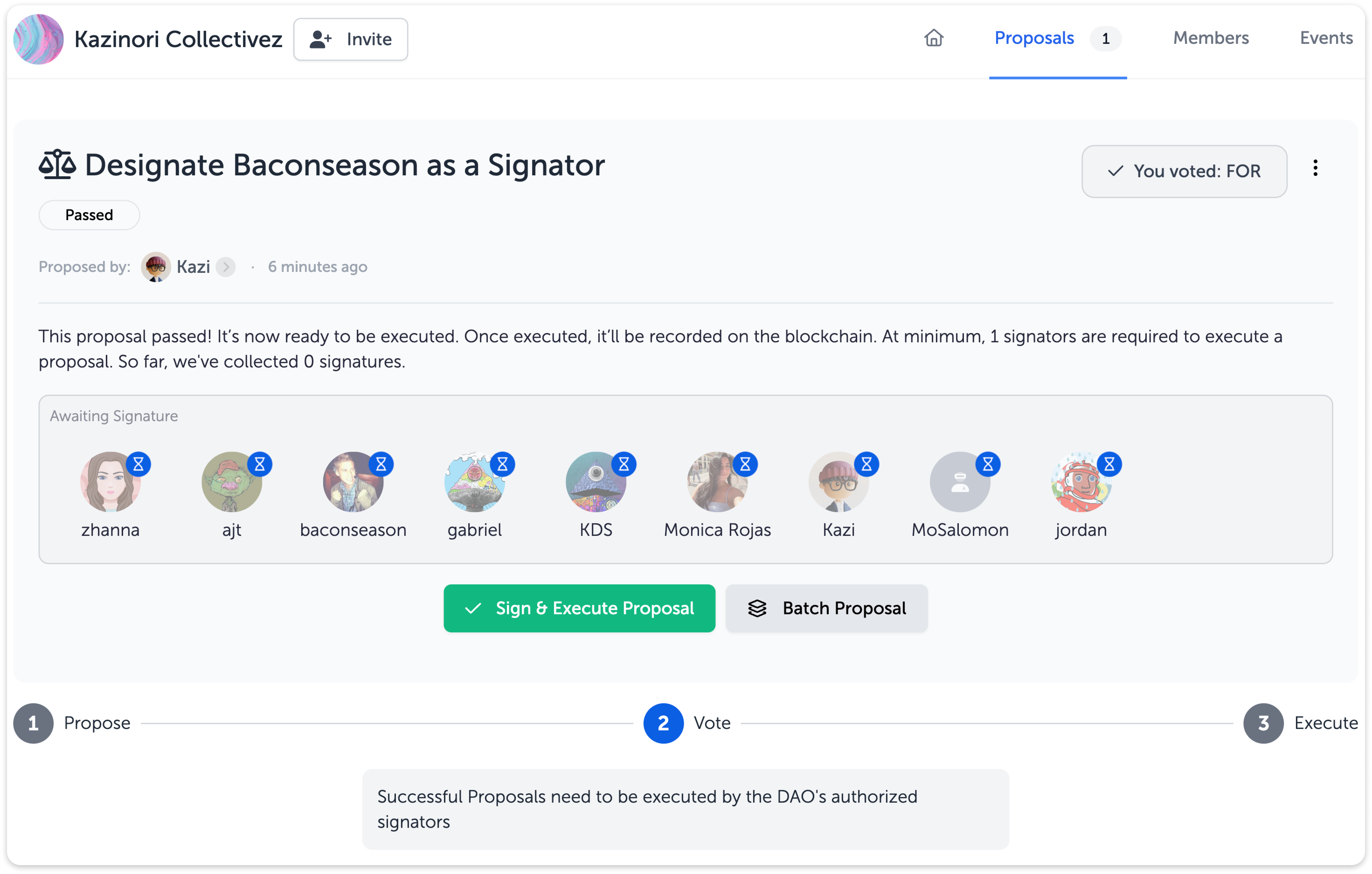
An example of an executed proposal can be [found here](https://goerli.etherscan.io/tx/0x5a3b37a4c44a2ec88da2d485b23271722a1b8dde374a56faed8f58e1896aa617).
Example of a proposal that needs to be signed and executed by a Signator.
### Why is a Signator needed?
Signators are crucial for the secure and reliable operation of a DAO. They are administrators who play a vital role in executing approved proposals that have passed the voting stage. Acting as gatekeepers, Signators bridge the gap between off-chain voting and on-chain execution, ensuring that proposals are implemented correctly on the blockchain. Additionally, Signators bear the responsibility of paying the gas fees required for executing proposals, adding a layer of accountability.
### How do I change the "Minimum Signators" setting?
The "Minimum Signators" setting on allows the DAO to determine the minimum number of Signators required to sign a proposal before it can be executed. This setting helps maintain the desired level of consensus and governance within the organization.
To change the "Minimum Signators" setting, follow these steps:
1. Access DAO Settings: Log in to Upstream and navigate to your DAO and click to expand "DAO Settings."
2. Locate "Minimum Signators": Within the DAO settings, locate the "Minimum Signators" option.
3. Click "Change": Clicking "Change" will open the "Craete a New Proposal Modal." Enter the new minimum amount of Signators that you would like to designate.
4. Add Proposal Details: Enter the title and description of the new proposal. Click Create to publish the proposal.
Once the proposal passes and is executed, proposals will now require the new minimum number of signators to sign a proposal before it can be executed.